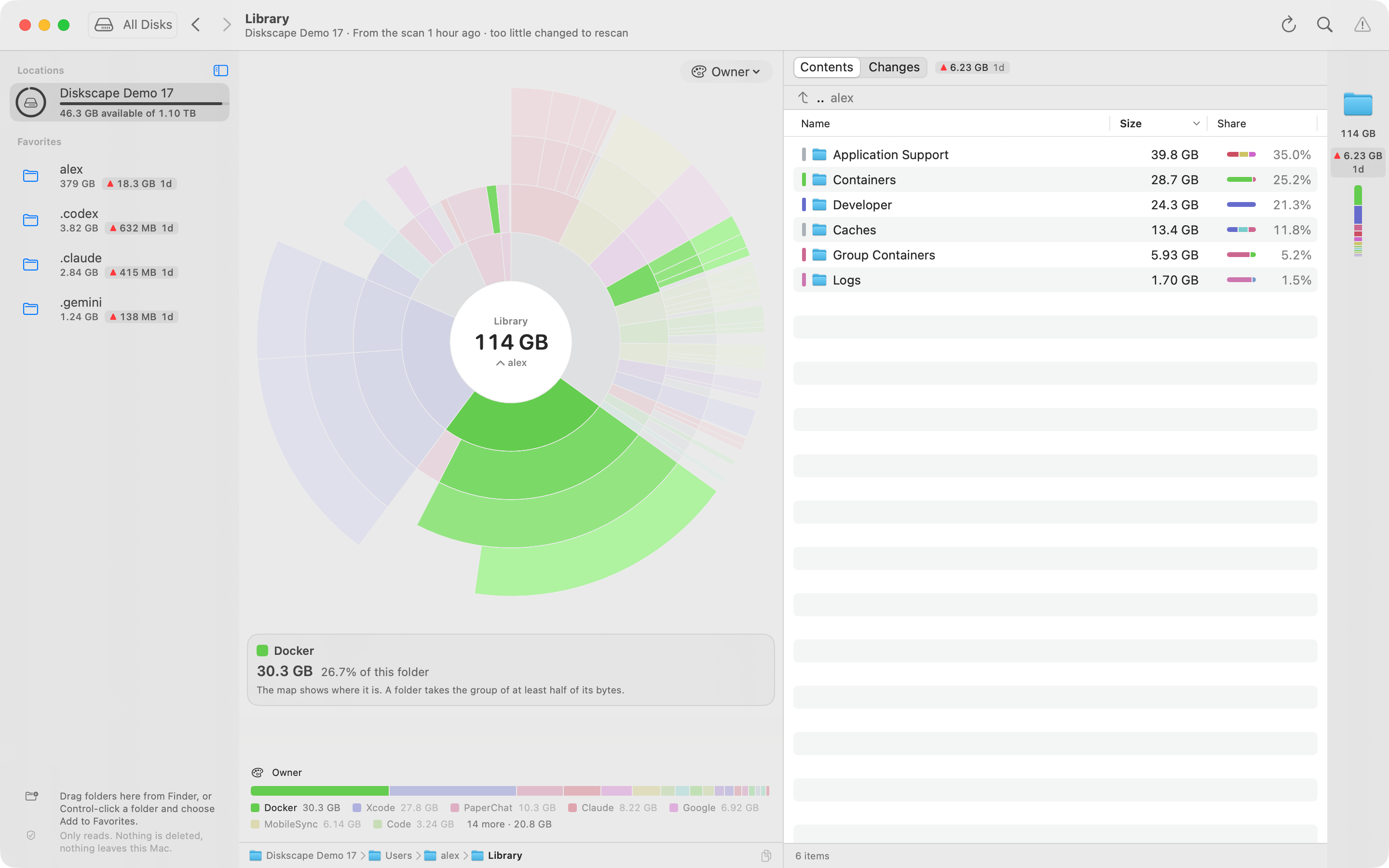
Which app does it belong to?
Owner groups recognized app folders across Library, helping you spot data spread across several locations.

A free disk analyzer for Mac
Disk maps show what’s big today. Diskscape keeps a daily record of folder sizes, so you can see what changed and follow it to the folder that grew.
History starts with your first scan; daily snapshots keep it up to date.
macOS 14 or later · Apple silicon & Intel · No account. Scans stay on your Mac.
Why another disk tool?
Storage settings and disk maps show what takes space right now. A large photo library may barely change while a small app-data folder expands overnight. Diskscape compares today with yesterday, so the folder behind the jump stands out.
What a memory adds
Folder sizes are recorded once a day in the background. Free space and the day’s change sit in the menu bar.
See a changeSee whether the disk fills gradually or jumped once, and how long the remaining space may last.
See the forecastGet a heads-up when a disk or folder crosses a limit, or grows too much since yesterday.
Set an alertClaude Code, Codex or another agent can read the same history to find what grew.
Connect an agentSizes tell you what’s there. History shows what changed.
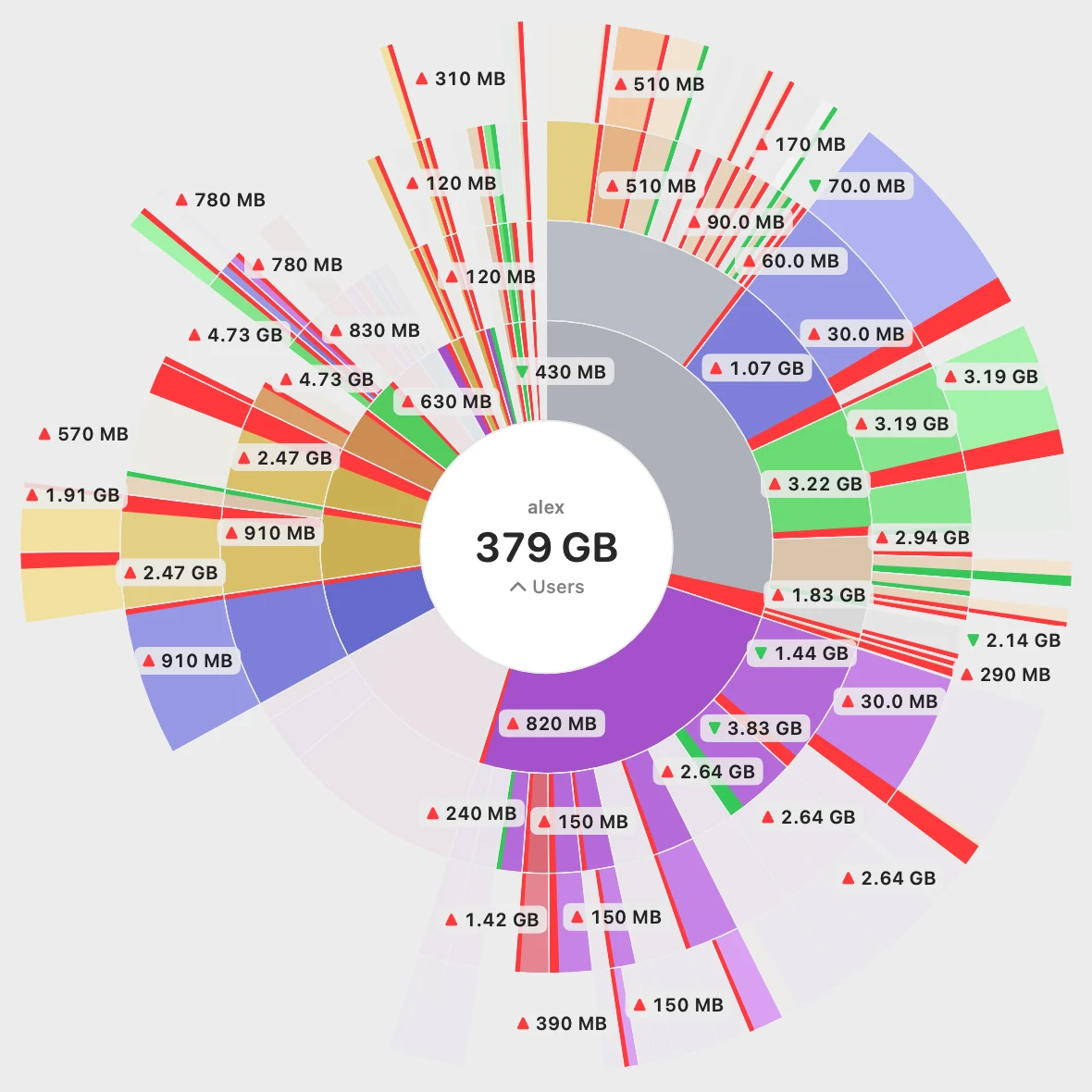
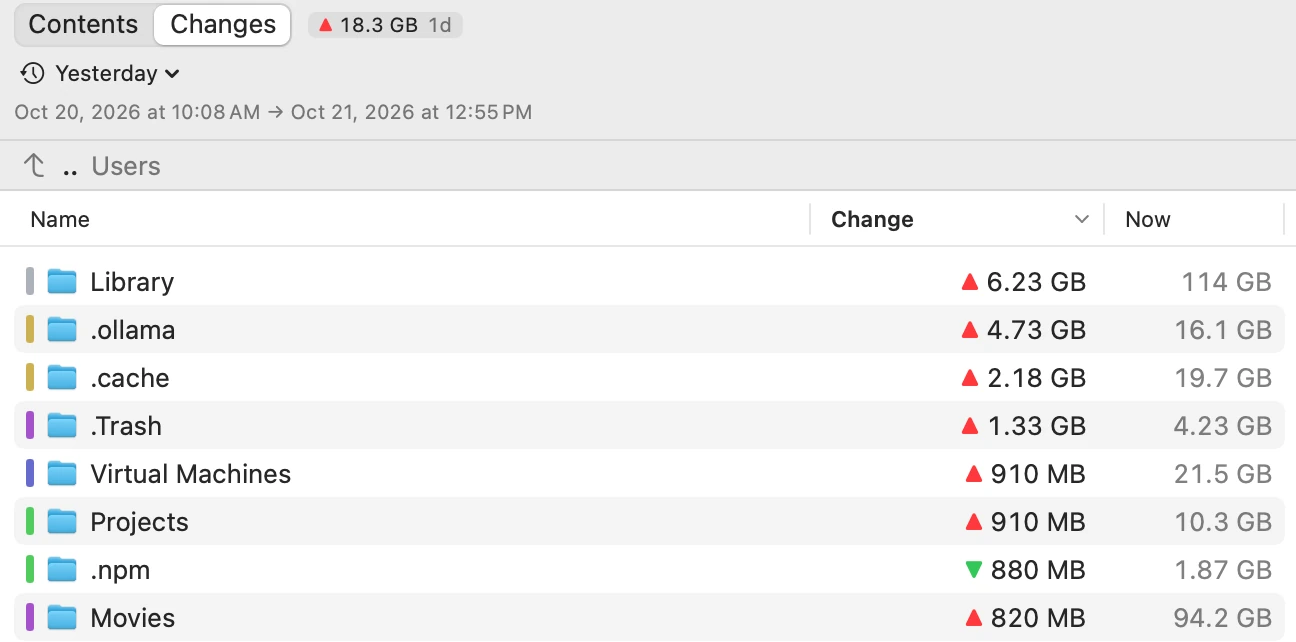
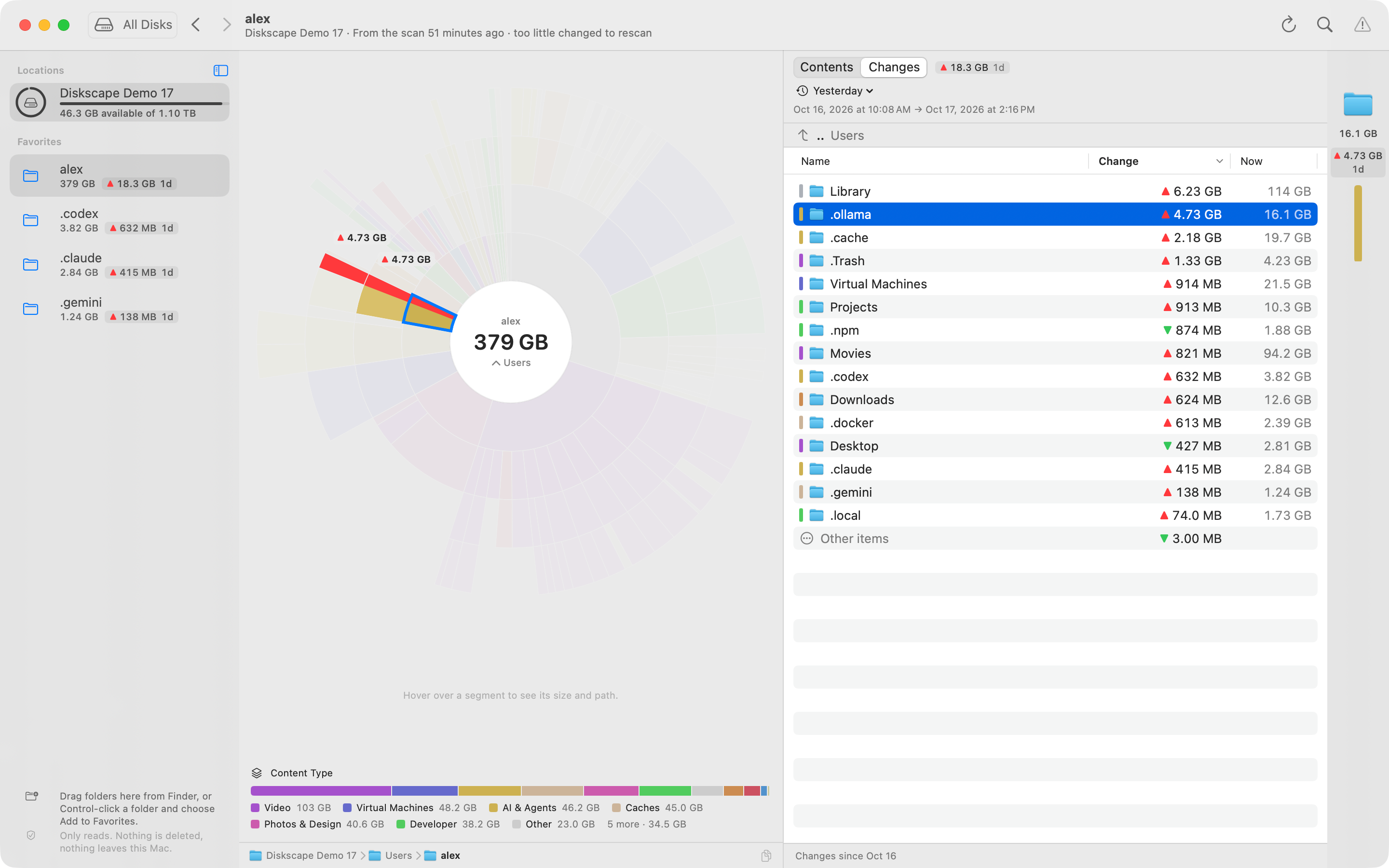
Every completed scan saves a compact record of folder sizes. Compare measurements, highlight growth or shrinkage on the map, and follow it into nested folders.
For example, compare with yesterday to find the folders behind a sudden jump. The dates beside the comparison tell you exactly which measurements you’re looking at.
History starts with your first scan. Turn on daily snapshots to keep it up to date. Folder changes come from saved measurements; individual files are shown as they are now.
After the first investigation
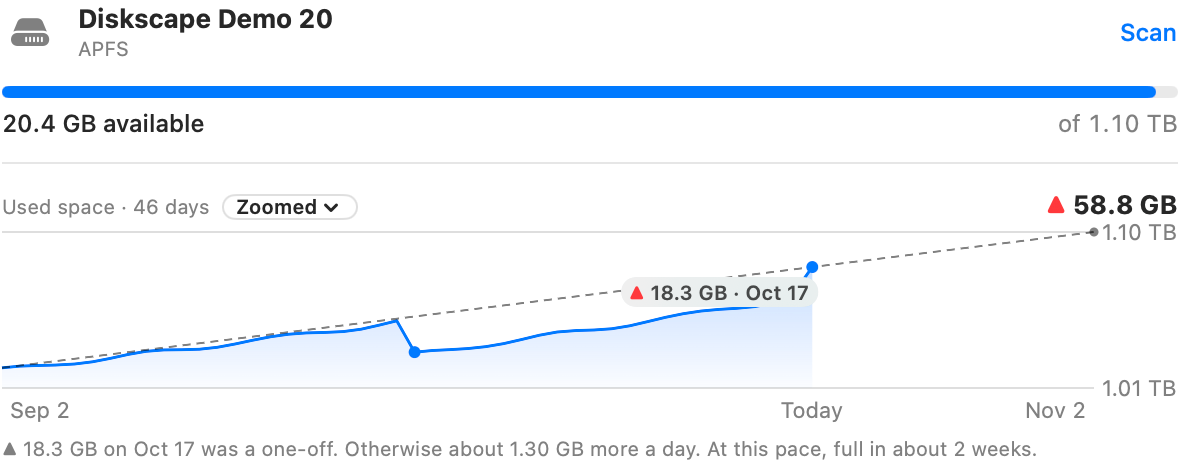
Is your disk filling gradually, or was there one big jump? The disk’s history brings that pattern into view, with an estimate of how long your remaining space may last at the current pace.
Daily snapshots keep recording in the background. Free space and the day’s change are a glance away in the menu bar.
A little warning helps
Watch disk fullness, a folder’s size or share of the disk, or its growth since yesterday. Diskscape checks while it’s running and can notify you when a limit is crossed.
AI-friendly, when you want it
An agent can measure a folder now. Diskscape gives it recorded measurements to investigate what changed, including growth outside the project it is working on.
Ask it to check what grew, then open the folder it found in Diskscape. You see the same paths, dates and sizes.
Connect your agentIt’s also a full disk map
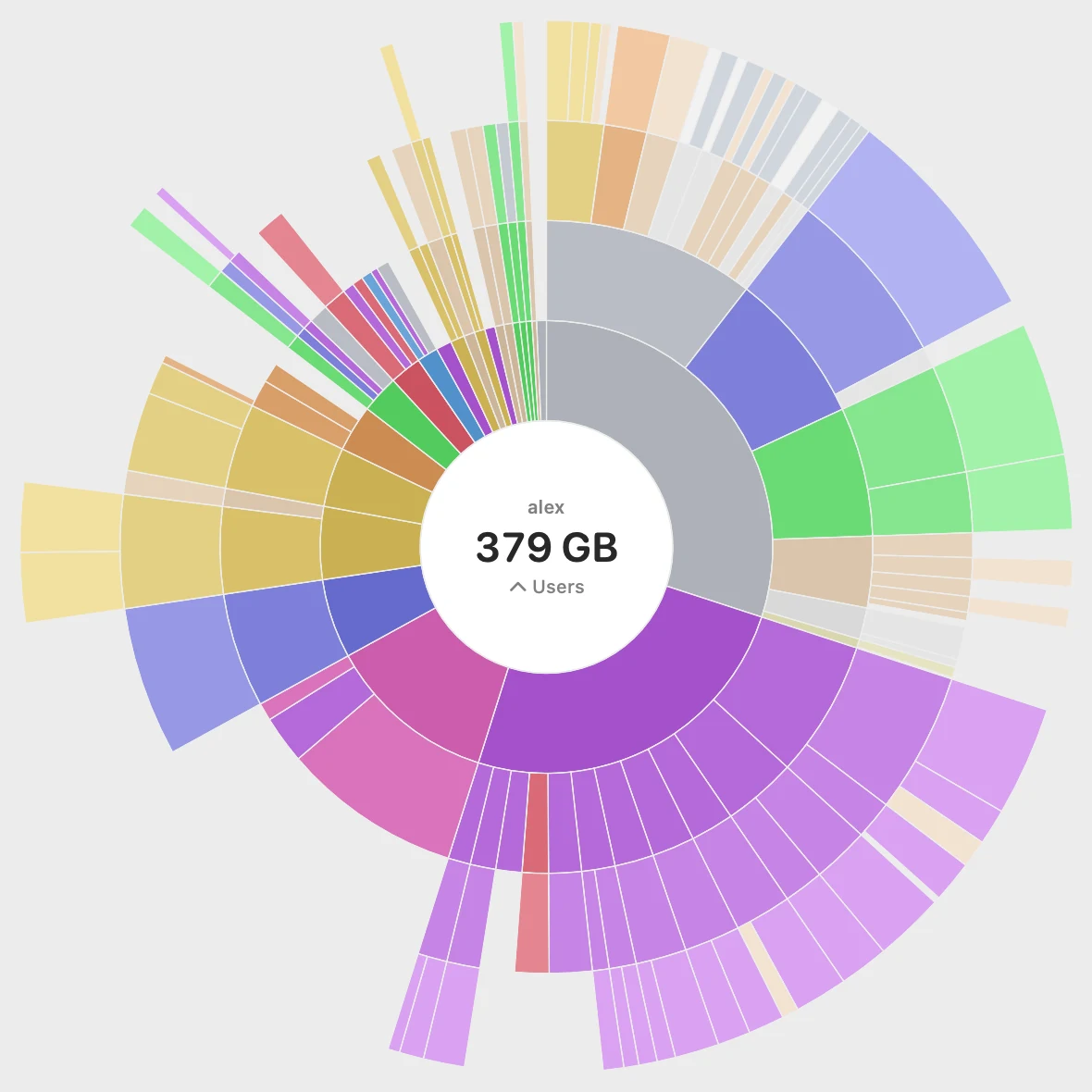
Start with the whole disk and follow the space down. Larger segments take more space; each ring goes a level deeper, keeping the folder’s place in the tree visible.
Look a little closer
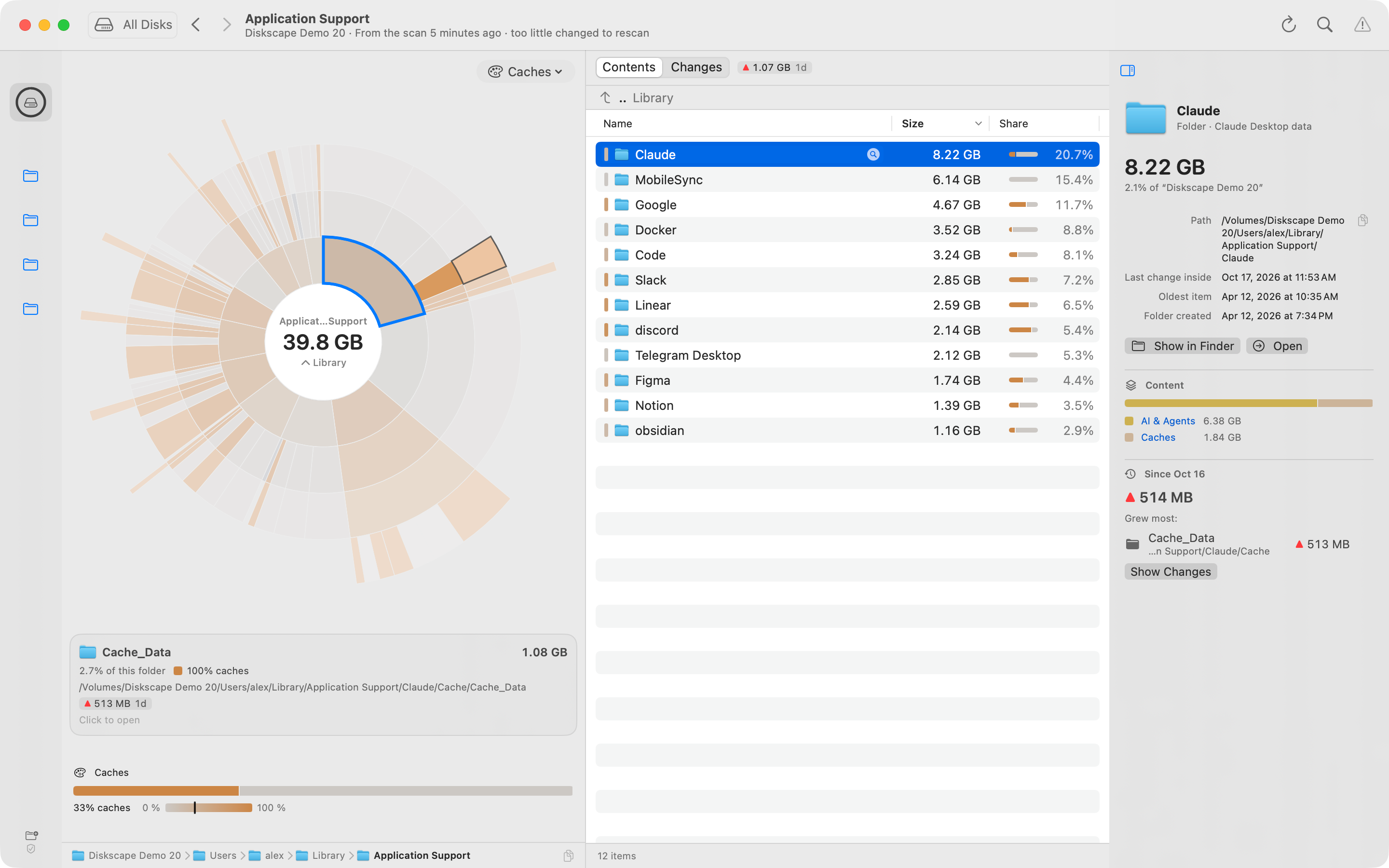
Change what the colors mean to understand the folders behind the numbers.
Owner groups recognized app folders across Library, helping you spot data spread across several locations.
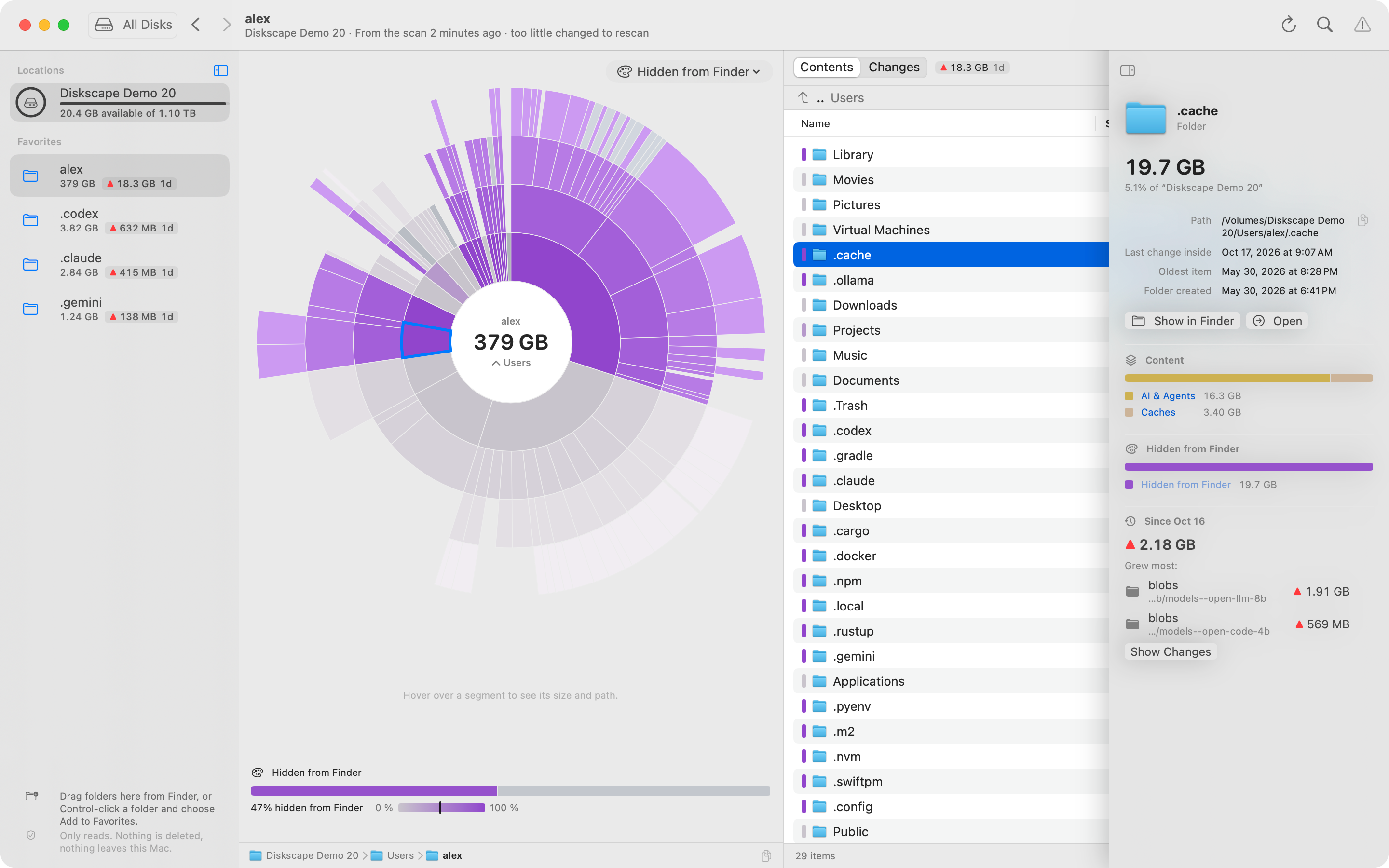
Bring hidden folders into view. Inspect caches, downloaded models and app data that are easy to overlook.
Also explore by content type modification date creation date caches and space on disk versus logical size
History starts with your first scan. Diskscape needs an earlier measurement to show a change. Enable daily snapshots so the next investigation has a baseline.
No. Diskscape helps you investigate. Show in Finder takes you to an item so you can decide what to do with it.
Snapshots save compact folder-size summaries, not copies of your files. Older daily records are thinned to weekly and then monthly samples.
Scans and history stay on your Mac. There is no account, advertising or analytics. If you use an external coding agent, information it reads follows that agent’s own privacy terms.
You can choose just a folder. macOS controls access, and Diskscape marks the places it cannot read. You can remove remembered access later.

Start with a scan. Keep the history for the next question.
Download for MacFree download · Version 1.0 (160)
macOS 14 or later · Apple silicon & Intel